 Handled
Scan it.
It's handled.
Point your iPhone at the paper. Handled reads it, sets up what it asks of you (a payment, a reminder, an appointment) and nudges you until each one is done.
- Free
- No account
- No ads or tracking
- Read on your iPhone
Capture
Scan with the camera, pick a photo or screenshot, paste text, or share from any app.
Understand
Handled reads the amounts, dates, people and places, and works out what kind of paper it is.
Confirm
It lays out what to do as cards. One tap confirms a card; Confirm all does the lot.
Done
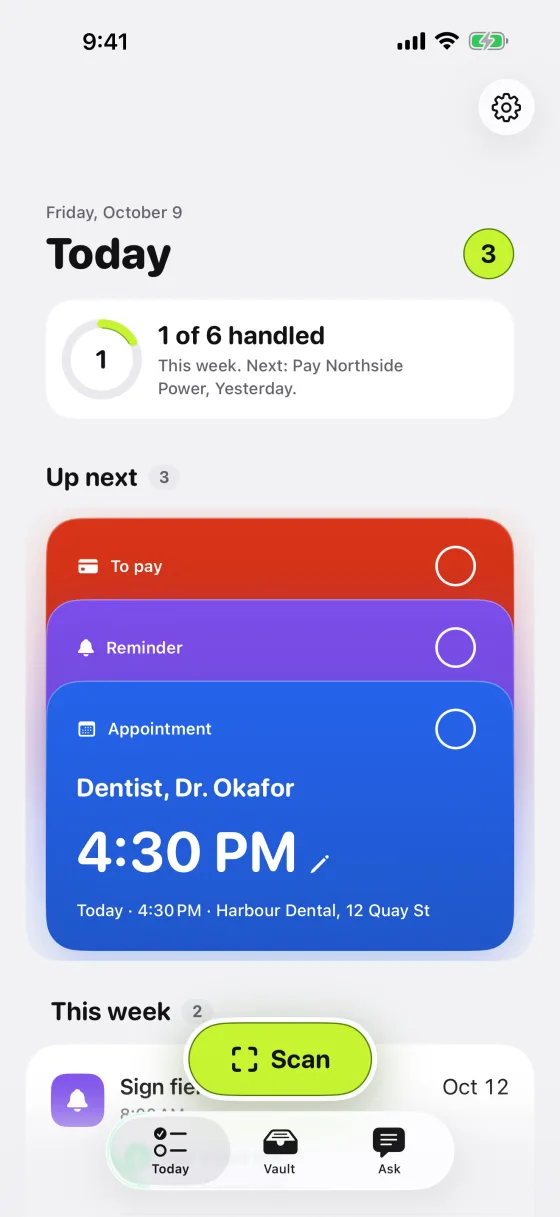
Today shows what's due. Nudges arrive at the right time, until each thing is handled.
Paper in.
Things done.
Handled is not a scanner that files paper away. It turns each paper into the few things it asks of you, and keeps track until they're finished.
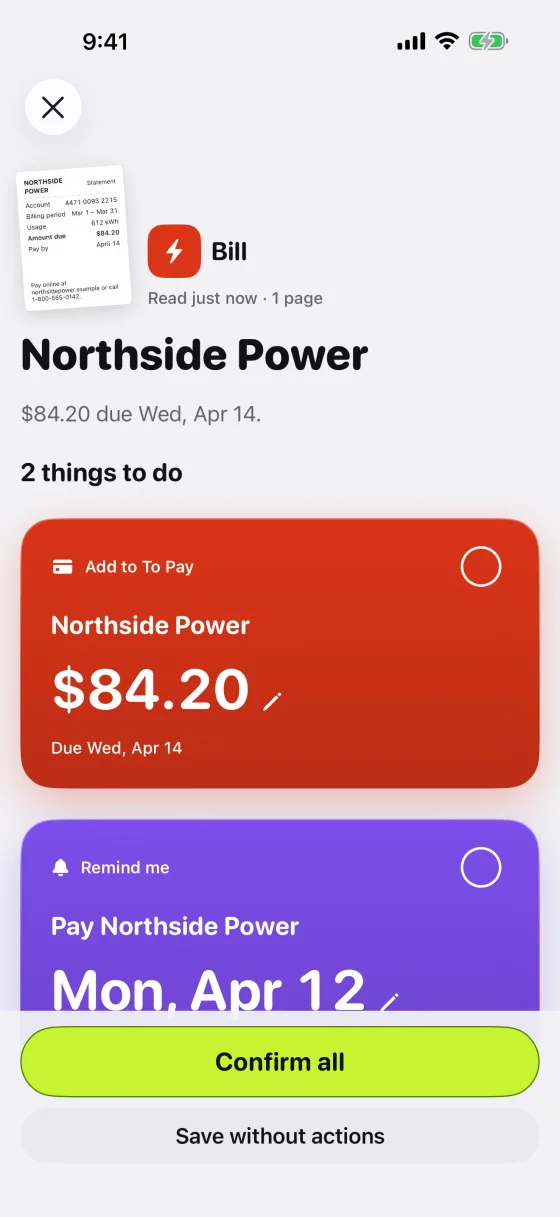
A bill becomes two cards
To Pay with the amount and due date, and a reminder two days before. Tap a value to fix it; tap the check to confirm.
Works with your iPhone
Adds to Calendar, Reminders and Contacts when you confirm. Widgets, a Lock Screen and Control Center scan button, the Action Button, Siri and Spotlight.
Nudged at the right time
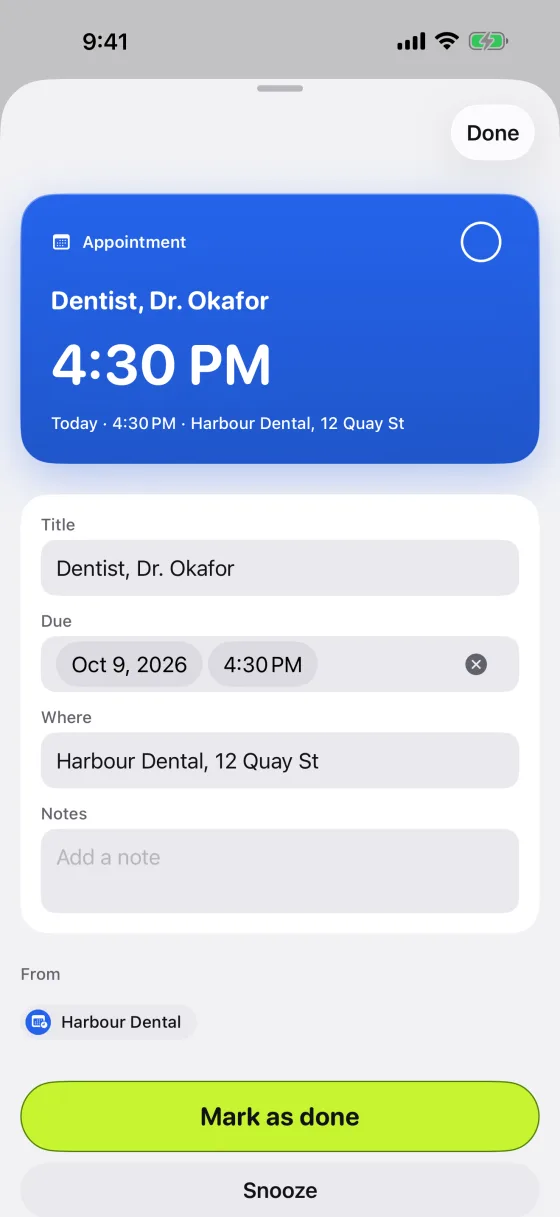
Bills two days before, appointments the evening before and two hours before, return windows three days before. Mark done or snooze from the notification.
"How much did I pay for internet this year?"
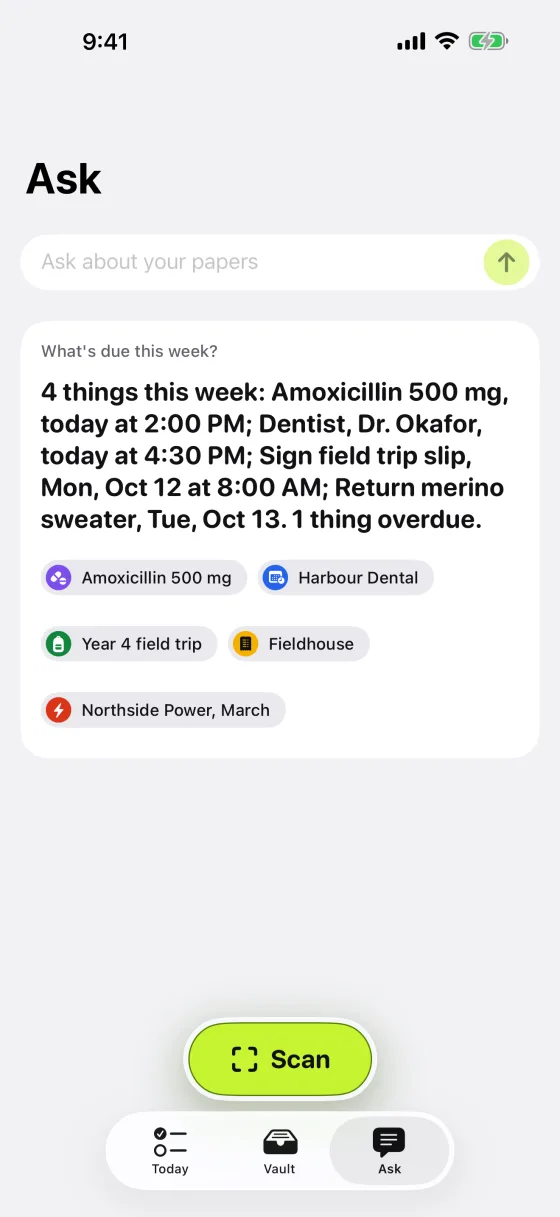
On iPhones with Apple Intelligence, ask in plain words. Answers point to the papers they came from.
Every paper, findable
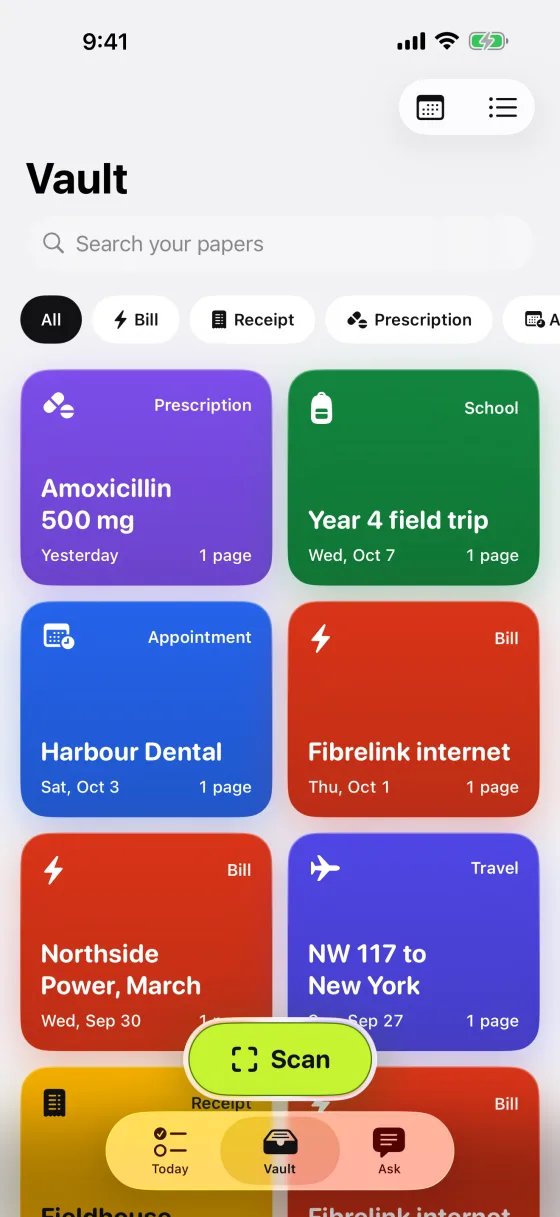
Search the words on every page. Filter by kind. Export a paper as PDF, or everything as a ZIP.
Medication on time
Prescriptions become reminders at each dose for the length of the course. Always check them against your label.
A Sunday summary
What's due in the week ahead and anything overdue, in one notification, only when there's something to say.
Free. All of it.
No subscription, no in-app purchases, no Pro tier. Every feature for everyone, from the first scan.
A closer look
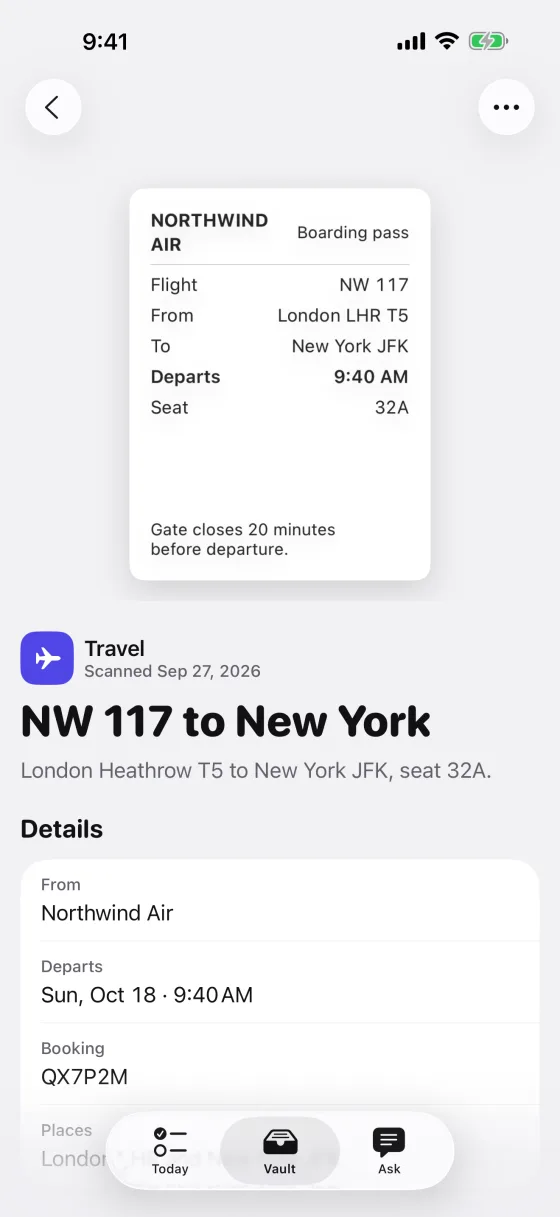
Each paper and each thing to do is a card in its own color, so you can see your week at a glance.
Nothing leaves your phone.
Papers are read on your iPhone. There is no account, no server, no analytics and no advertising. Unless you turn on iCloud sync, nothing is sent anywhere.
Text recognition and understanding run on your iPhone, including Apple's on-device model where available.
Sync is off until you turn it on. Then your papers go to your own private iCloud, encrypted by Apple.
We never see your papers. Delete everything at any time in Settings. Read the privacy policy
How do I add a paper without the camera?
On an empty Today or Vault, tap Photos or Paste. Anytime, press and hold the Scan button for Photos and Paste. You can also share a photo, screenshot or PDF to Handled from any app. To see how it works first, tap Try a sample bill.
Handled read something wrong. How do I fix it?
On the Review screen, tap the value on a card (the amount, the date) and edit it before you confirm. Later, open the item from Today and change it there. Always check important details against the original paper.
Why don't I see Ask?
Ask needs Apple Intelligence: iPhone 15 Pro or newer, with Apple Intelligence turned on in Settings. Settings › Smart mode in Handled shows what your iPhone supports. Everything else works on every iPhone.
My reminders or events aren't in Reminders or Calendar.
Handled asks for access the first time you confirm something that needs it. If you declined, open the Settings app › Handled and allow Calendars, Reminders or Contacts. Your items are always kept in Handled either way.
I'm not getting nudges.
Check the Settings app › Notifications › Handled. In Handled, Settings › Notifications shows the timing for each kind of item, and tells you if notifications are off.
How do I sync to my other devices?
In Handled, Settings › iCloud sync. You need to be signed in to iCloud. The change takes effect after you close Handled from the app switcher and open it again.
How do I delete my data?
Settings › Your data › Delete everything removes all papers, images and items from your iPhone and, with sync on, from your iCloud. You can export everything first from the same screen.